
工具:一台ARM架构vps(性能不能太拉,推荐4h24g甲骨文)、ubuntu20.04
本文使用甲骨文服务器教学,先奉上成品动画
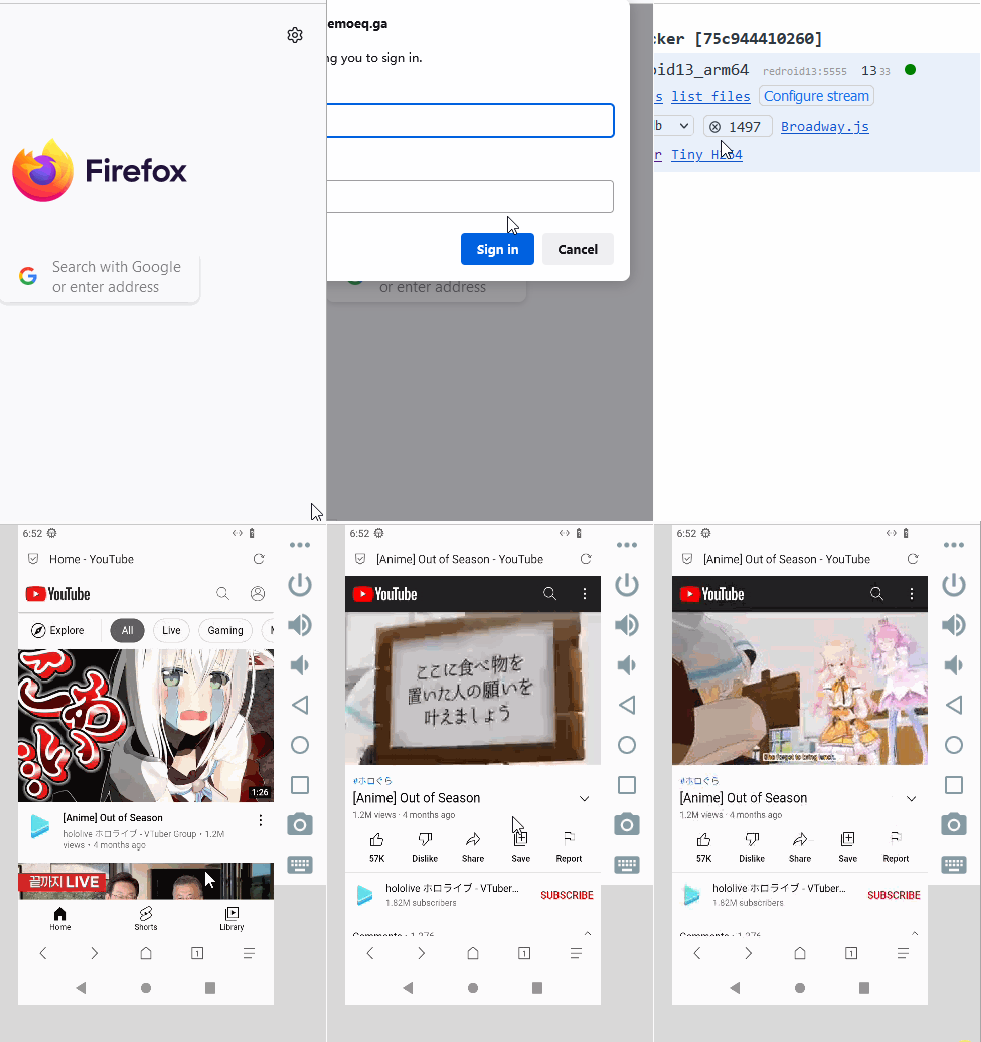
如果是第一次阅读,尽量跟着步骤走,参数都不要乱动,等配置成功一次之后再自行发挥
教程开始
一、加载内核模块
首先先检查你的内核版本:
uname -r        #查看内核命令
#内核最好是大于5.0的
然后输入以下命令:
apt install linux-modules-extra-`uname -r`
modprobe binder_linux devices="binder,hwbinder,vndbinder" #进程通信模块
modprobe ashmem_linux #内存共享模块

#后两条命令不提示错误 Enter 后没有任何反应说明启动成功
#这几条命令,都不能报错,否则后面会出问题,不过最后一条在高版本内核好像是可选的,具体可以看redroid的官方文档如果你这里出现了问题,那么你最好更换一个内核,我现在自己使用的内核是5.4.0-208-generic,你也可以尝试其他内核或者自己编译一个,这一方面自行谷歌。如果你实在是找不到符合的内核,或者说不会换内核,那么你可以尝试dd一个新的系统,我用的脚本1,你也可以使用脚本2,将系统重装至ubuntu20.04,默认的内核就可以直接搭建,反而是更新后的不支持。
二、搭建redroid镜像容器
首先安装一个docker
静待一会以后自动安装成功。拉取redroid镜像并启动一个名为test的容器
docker run -itd --memory-swappiness=0 --rm --privileged --pull always \
   -v /home/ubuntu/redroid/data:/data \
--name test redroid/redroid:11.0.0-latest androidboot.redroid_gpu_mode=guest输入docker ps查看运行状态
root@ubuntu:~# docker ps
CONTAINER ID   IMAGE                           COMMAND                  CREATED          STATUS          PORTS                       NAMES
2b07cd6b46da   redroid/redroid:11.0.0-latest   "/init qemu=1 androi…"   43 seconds ago   Up 42 seconds                               test

#查看是否如上启动成功
没问题就可以关掉这个测试容器了
docker stop test #删除这个容器三、配置root,为容器安装magisk
先创建并且进入一个文件夹:
下面这段可以写成一个脚本:
给予权限然后运行
运行完毕以后再运行一下打包命令将magisk压缩
再写一个脚本:
还是给予权限
最后再写一个脚本
还是给予权限
至此magisk配置完成,安装magisk部分全部来源于这里,此处翻译了一遍。
四、安装ws-scrcpy并且设置网页鉴权
最后就是安装ws-scrcpy,这样就可以不用本地下载scrcpy了,可以直接在网页中连接,而且网页还有鉴权功能,更加安全。
1、首先正式启动一个带有magisk的云手机容器。
2、用docker运行scrcpy-ws获得网页端
3、等待容器启动成功后,用curl访问一下127.0.0.1:48000查看是否启动成功
root@ubuntu:~# curl 127.0.0.1:48000

#如果有如下返回值就说明成功(大概需要等1分钟左右)
<!doctype html><html lang="en"><head><meta charset="UTF-8"><meta content="width=device-width,initial-scale=1,minimum-scale=1,maximum-scale=1,user-scalable=no" name="viewport"/><title>WS scrcpy</title><script defer="defer" src="bundle.js"></script><link href="main.css" rel="stylesheet"></head><body></body></html>
4、nginx反代scrcpy-web端口,增加密码登录
4.1 用openssl生成账号密码文件
echo -n "test:" > /etc/nginx/passwd_scrcpy_web #生成一个用户名,将test改成自己的用户名
openssl passwd qwert1234 >> /etc/nginx/passwd_scrcpy_web #加密密文,qwert1234改成自己的密码
4.2 安装配置nginx(有nginx基础的可以跳过此步,也可参考这篇文章进行后续配置)
sudo apt-get install nginx #安装后将自动开启nginx服务,打开浏览器输入ip即可查看初始页面
rm -rf /etc/nginx/sites-enabled/*
cd /etc/nginx/sites-enabled/  #务必在此路径进行4.3操作
4.3 配置nginx auth模块页面
vim nginx-auth.html这里仅配置80端口,但是最好开启https,修改方法一样,这里不做说明
map $http_upgrade $connection_upgrade {
    default upgrade;
    '' close;
}
upstream websocket {

     #这里是scrcpy-web的ip+端口,docker ps可以查看
     #你是如上操作的就是127.0.0.1:48000,因为这里要代理websocket
    server 127.0.0.1:48000;
}

server {
	listen 80;
	server_name test.com;
	#root /usr/share/nginx/html;
	auth_basic "Please input password:"; #这里是输入密码的提示信息
        auth_basic_user_file /etc/nginx/passwd_scrcpy_web; #这里是密码文件位置
	location / {

		add_header Access-Control-Allow-Origin *;
    		add_header Access-Control-Allow-Methods 'GET, POST, OPTIONS';
    		add_header Access-Control-Allow-Headers 'DNT,X-Mx-ReqToken,Keep-Alive,User-Agent,X-Requested-With,If-Modified-Since,Cache-Control,Content-Type,Authorization';
	     if ($request_method = 'OPTIONS') {
        		return 204;
    		}
		proxy_pass http://websocket;
		proxy_set_header Host $host;
		proxy_set_header X-Real-IP $remote_addr;
                proxy_set_header X-Forwarded-For $proxy_add_x_forwarded_for;
                proxy_http_version 1.1;
                proxy_set_header Upgrade $http_upgrade;
                proxy_set_header Connection $connection_upgrade;
}
4.4 检查nginx配置并重启
> nginx -t

#如下说明nginx配置没问题
nginx: the configuration file /etc/nginx/nginx.conf syntax is ok
nginx: configuration file /etc/nginx/nginx.conf test is successful
> nginx -s reload #nginx平滑重启4.5 检查是否配置成功
在浏览器直接输入ip地址,提示需要密码登录,输入你之前设置的用户名密码

检查结果

4.6 给云手机安装via浏览器,方便用来下载你需要的软件
云手机配置完magisk后,服务器中的/root/data路径其实就是映射云手机的/data路径,因此接下来需要把下载的via安装包传到服务器的/root/data中,然后执行以下命令
docker exec -it scrcpy-web adb install /data/via-release-cn.apk #注意此处是docker云手机路径不是服务器路径出现success说明安装成功,至此,云手机大功告成!
五、scrcpy-ws说明
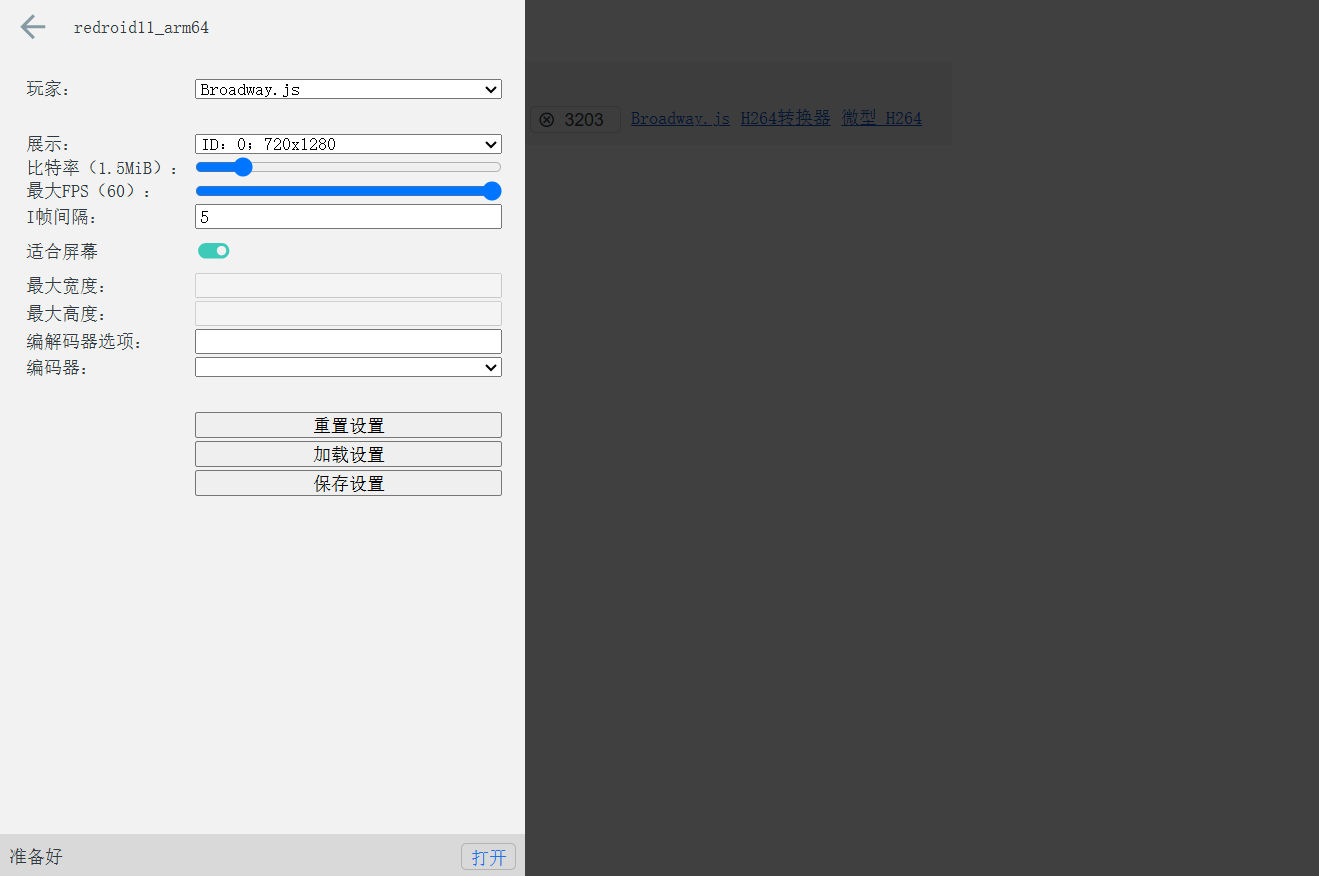
自定义画面参数
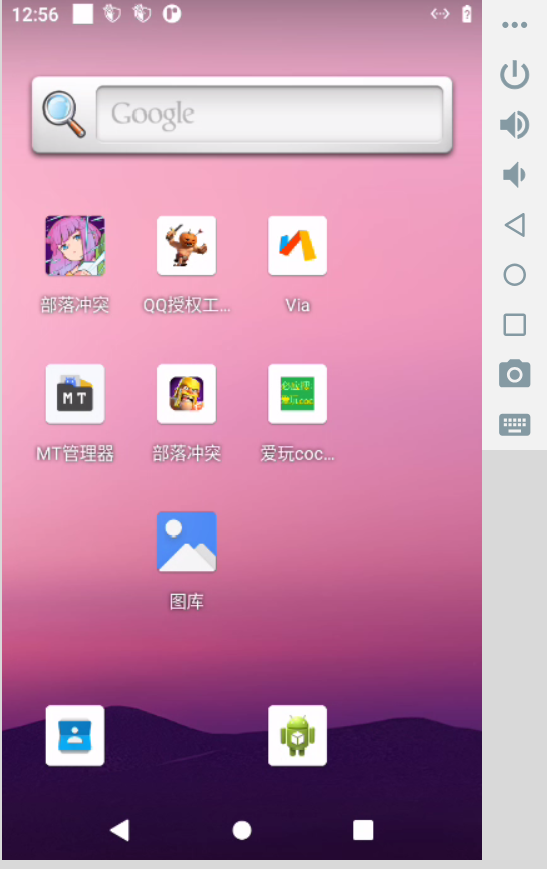
H264 Converter 结果查看
文章参考:
https://blog.wilxx.com/archives/118
https://blog.imoeq.com/scrcpy-run-a-android-web-page/
Interesting analysis! The psychology of chance is fascinating, and platforms like bluestacks club are clearly tapping into that with diverse game options. Account security, as they detail, is crucial for sustained engagement, statistically speaking!
Interesting analysis! The psychology of chance is fascinating, and platforms like bluestacks club are clearly tapping into that with diverse game options. Account security, as they detail, is crucial for sustained engagement, statistically speaking!
Interesting analysis! The psychology of chance is fascinating, and platforms like bluestacks club are clearly tapping into that with diverse game options. Account security, as they detail, is crucial for sustained engagement, statistically speaking!
Cassinovip… If you wanna feel fancy while gambling, give it a try. cassinovip
Cassinovip… If you wanna feel fancy while gambling, give it a try. cassinovip
Cassinovip… If you wanna feel fancy while gambling, give it a try. cassinovip
E aí, pessoal dos cassinos! O bullsbetcassino me parece ser um cassino bacana, com bastante variedade de jogos. Vou dar uma explorada e depois conto pra vocês o que achei. Bora ver: bullsbetcassino
E aí, pessoal dos cassinos! O bullsbetcassino me parece ser um cassino bacana, com bastante variedade de jogos. Vou dar uma explorada e depois conto pra vocês o que achei. Bora ver: bullsbetcassino
E aí, pessoal dos cassinos! O bullsbetcassino me parece ser um cassino bacana, com bastante variedade de jogos. Vou dar uma explorada e depois conto pra vocês o que achei. Bora ver: bullsbetcassino